 Tiếng Việt
 한국어
한국어 日本語
日本語Article· Updated October 15, 2026
How to Store Documents Like a Pro: Expert Guide to Document Management and Effective Document Storage
How to Store Documents Like a Pro: Expert Guide to Document Management and Effective Document Storage
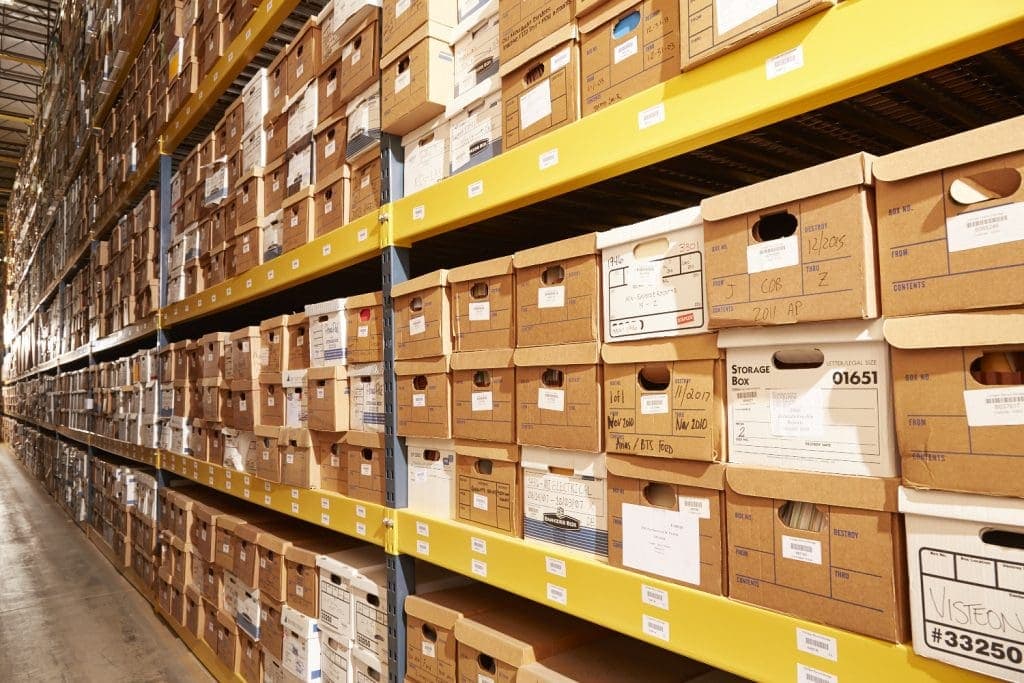
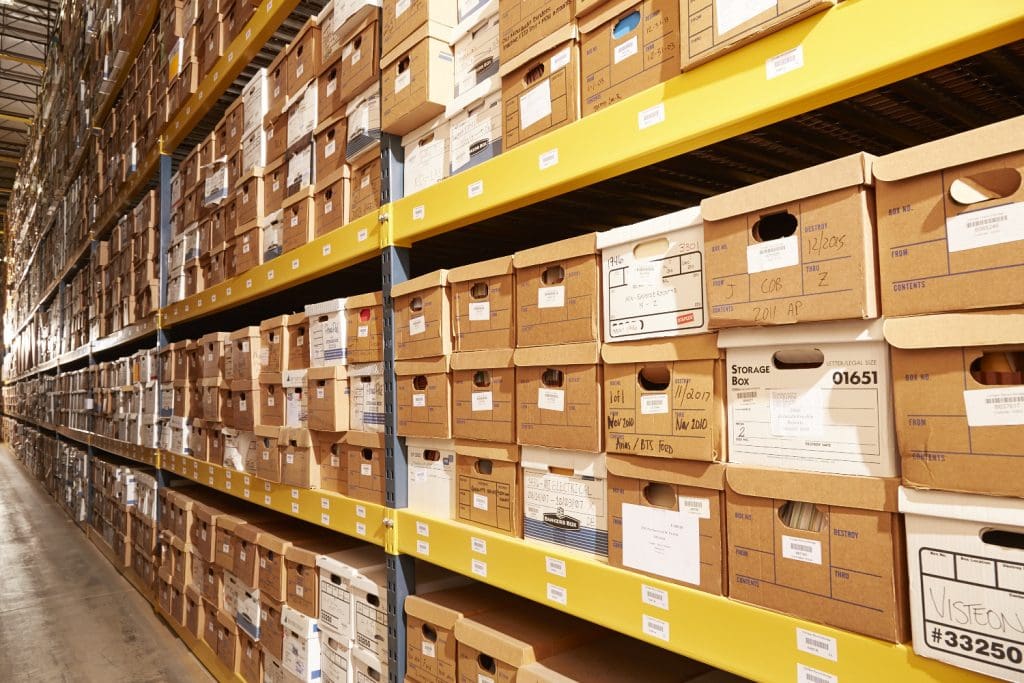
Did you know businesses need an extra 20-50 square meters of space each year just for paper document storage? Space requirements are just one of many challenges companies face with file management. Document retention periods last at least 5 years, impacting your strategy. Some records need permanent storage. This makes document preservation crucial to business operations. On top of that, proper document classification helps you find and maintain files quickly.
Your documents need special care. Physical papers require specific temperature (20±2°C) and humidity (50±5%) conditions. Digital systems need OCR search features. Effective document management goes beyond basic filing. Industry standards like ISO 15489 can help your system match international best practices.
In this piece, we’ll show you everything you need to know about creating and maintaining an efficient way to store documents. We’ll share practical tips to help you organize physical spaces and set up secure digital solutions. These tips will help turn your document chaos into an available resource that works smoothly.
Identify Your Document Management Goals
Your document management system needs clear objectives as the first vital step to manage information well. Office workers waste nearly five hours every week looking for digital documents, which adds up to 28 days per year according to a 2012 IDC study. These numbers express why you need specific goals for your document storage strategy before you set up any system.
Identify Your Document Management Goals
You should define what you want to achieve with your document management approach before exploring storage solutions or software. Projects often fail when organizations implement tools and processes without clear objectives that address their specific challenges.
Reduce clutter and improve access
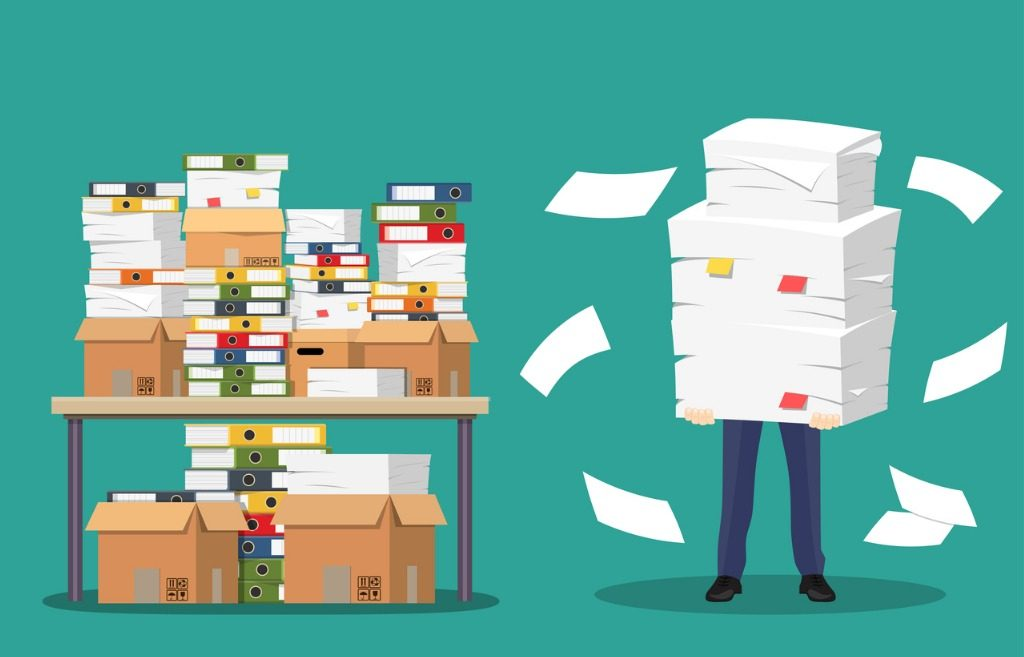
Digital clutter can hurt productivity just like physical clutter. Employees feel more stressed and anxious when they see constant reminders of disorganization. This disorganization also cuts into your profits through wasted time and reduced efficiency.
Think about these specific document management goals to curb these problems:
- Decrease search time: Want to cut document retrieval time by a specific percentage (e.g., 30%) through consistent folder structures and naming conventions.
- Streamline workflows: Create an automated document retrieval system that optimizes efficiency within a defined timeframe (e.g., two months).
- Improve mental well-being: Clean digital workspaces reduce cognitive overload. Employees can focus on important tasks instead of getting distracted by digital chaos. “Being specific is important,” notes one expert document management guide. “Are you trying to help users find documents more quickly? Save on document storage costs? Improve collaboration? Re-engineer manual processes?”.1 Your answers to these questions will shape how you approach document classification. A logical folder structure makes it much easier for employees to file and locate documents. They feel less stressed and frustrated while gaining control over their work environment.
Ensure compliance and security
Document management does more than boost efficiency – it protects and ensures compliance. Many industries must follow strict regulations about data retention and disposal. Laws like HIPAA, FACTA, and GDPR require businesses to dispose of records securely after certain periods.
Your document preservation goals should cover:
- Regulatory compliance: Follow industry standards, legislation, and data privacy regulations through proper documentation.
- Risk management: Set up security measures and controls to find, interpret, and prepare for potential data breaches.
- Audit readiness: Keep detailed records of information security policies, access controls, and risk assessments to show compliance during audits. Many organizations see documentation as “a necessary evil that soaks up time and resources without offering apparent value”. Good document management turns documentation into a strategic asset that builds operational excellence and organizational resilience. A resilient security infrastructure based on well-documented protocols helps protect your information’s confidentiality, integrity, and availability. Clear disaster recovery procedures help restore operations after cyberattacks or system failures, which reduces recovery time and minimizes lost revenue. You should determine the metrics and key performance indicators (KPIs) to measure progress before implementing any document management solution. Set a baseline to compare against your current system. You might find that processing an invoice takes 10 minutes with your current system but only two minutes with digital document management. Clear objectives from the start create a roadmap that arranges your document management strategy with your organization’s broader business goals. This approach changes what could be a tedious administrative task into a powerful business advantage.

Audit and Categorize Existing Documents
Your document management goals set the stage for the next big step – a full picture of your existing documents. This inventory reveals the gap between what you have and what you believe you have, laying the groundwork for a system that works.
Audit and Categorize Existing Documents
Document auditing goes beyond simple file counting. Organizations need to grasp their information’s types, formats, and value. Research shows enterprises now face “a veritable flood of data” and need automated document categorization to handle it properly. Document classification stands as “one of the most important steps in data analysis” as daily data generation keeps growing.
Group by type, date, or department
Document classification helps manage large file volumes with logic and consistency. Here are some proven methods to group your existing documents:
- Content-based categorization: Subject or topic-based categories (marketing materials, research papers, technical documentation).
- Characteristic-based categorization: Format, metadata, or attribute-based organization (confidentiality level, file type).
- Purpose-based categorization: Categories based on document use (training manuals, compliance documents). Your industry and organization’s structure determine the best approach. Legal teams often prefer case-based grouping, while marketing departments lean toward campaign-based organization. Date-based categorization needs careful planning. File Explorer offers basic options. Advanced document management systems provide better flexibility with exact dates, relative dates, month/year groupings, and year-only options. This flexibility helps handle time-sensitive documents and track creation across different periods. Department-based categories align with your organization’s structure. Teams can control access and simplify their workflow this way. Expert sources suggest you can “use cloud workspaces and portals to categorize documents by department or project, making it easier to manage permissions and cooperate on files”.

Document classification by retention period
Document retention periods form a crucial part of categorization. Vietnamese regulations specify varying retention times based on document types and importance.
Circular 10/2022/TT-BNV, effective February 15, 2023, defines retention periods as “the necessary timeframe to store files and documents, calculated from the year when work is completed”. This new regulation updates the 2011 guidance with several key changes.
Vietnamese law splits documents into two retention categories: Permanent retention documents and Time-limited retention documents. Clear subcategories help manage specific timeframes. For example, corporate finance documents like accounts payable need 7-year retention, while annual financial statements require permanent document storage.
Vietnamese regulations now specify updated retention periods for planning correspondence, staff development files, and procurement files.
Good categorization boosts operational efficiency and ensures compliance. Document management experts emphasize that “The quality of the tagged dataset is the most important component” of classification systems. Time spent on thorough auditing and categorization leads to better access and regulatory compliance throughout your document’s life.
Choose Between Physical and Digital Storage
Your document management strategy depends on choosing between physical and digital options. After you audit and sort your documents, you’ll need a document storage solution that works best for your needs.
Choose Between Physical and Digital Storage
Pros and cons of each method
Traditional paper filing systems still matter in today’s digital age. Digital options are popular now, but physical document storage has its own strengths:
Physical Storage Advantages:
- Offers concrete security without cyber threat risks.
- Works without technology.
- Keeps historical documents authentic and authoritative.
- Meets legal requirements for “wet ink” signatures in certain industries. In spite of that, physical storage has major drawbacks. Paper documents take up space—businesses typically use 20-50 square meters each year just for this purpose. Paper files can also get damaged by natural disasters, environmental factors, or stolen. Digital document storage has changed how organizations handle information through electronic systems. Here are its main benefits: Digital Storage Advantages:
- Quick and easy document retrieval through metadata tagging and search.
- Access from anywhere with internet, which helps remote work.
- Saves physical space, so businesses can use office space differently.
- Better security with encryption, backups, and access controls.
- Helps the environment by using less paper. Digital solutions aren’t perfect though. These systems rely heavily on technology, which means they can face connection problems, hardware issues, and data breaches. You also need regular updates to keep the system current. “When comparing physical document storage to digital options, it’s clear that digital document storage offers numerous advantages over its traditional counterpart,” according to an industry report. The right choice comes down to what your organization and documents need.

When to use hybrid storage
Many organizations get the best results by combining both methods into a hybrid approach. Document storage management experts say, “Both physical and digital archiving are essential in the archival world and best support the functions of museums, libraries, businesses, and historical societies when they are deployed together”.
Hybrid storage works best when:
- Legal compliance requires original documents.
- Document types have varying requirements.
- Budget constraints limit full digitization. One expert points out, “Digitizing all your documents in one go could result in a large capital outlay. This is where hybrid records management can help”.
- Transition periods require dual systems. “Scan-on-demand” has become a popular hybrid approach. This method “starts by physically archiving the documents, organizing, and storing them in a dedicated space… Then, whenever a document is needed, that document is digitized and stored electronically for future use”. Circular 10/2022/TT-BNV acknowledges this hybrid reality, noting that “Non-electronic records will co-exist with electronic records for some time”. Your organization’s document management goals and preservation requirements should guide your choice between physical, digital, or hybrid document storage. Think about security needs, access priorities, budget limits, and compliance rules before deciding.
Set Up a Digital Document Management System
The right document management system (DMS) becomes your next crucial step after deciding to implement digital document storage. A well-configured DMS will revolutionize your organization’s information handling process. It creates efficient workflows and keeps documents secure.
Select a cloud-based or on-premise solution
Your specific needs will determine which of the two primary DMS deployment options works best:
Cloud-based DMS keeps your documents on remote servers that you access through the internet. This option offers several benefits: lower initial costs, documents available anywhere, provider handles updates, and scalable storage.
“Cloud services are always up-to-date and updated automatically providing always the most modern and the most secure experience with the least amount of maintenance effort,”2 notes one industry expert.
On-premise DMS requires software installation on your servers and infrastructure. This option lets you control your data completely, access documents without internet dependency, meet industry-specific regulations, and manage updates on your schedule.
Organizations with strict regulatory requirements often choose on-premise solutions. “Compliance regulations may mandate that certain information be stored and encrypted on-premises”.
A third option combines both approaches—hybrid deployment. This “offers the best of both worlds” by providing control and compliance on-premises, with flexible user experience through cloud-based applications.
Key features to look for: OCR, versioning, access control
Your DMS evaluation should focus on these essential features beyond the deployment type:
OCR (Optical Character Recognition) turns scanned documents into searchable, editable text. This technology helps you search digitized paper documents, sort and categorize automatically, work with multiple languages, and find information quickly.
Version control keeps track of document changes, which teams need for collaboration. It saves new versions, keeps a detailed history, shows differences, and lets you revert to earlier versions.
“Document version control lets you do the same across multiple drafts of the same document,” explains one expert source. It “prevents accidental use of old drafts, overwriting changes made by others, and reducing the potential for conflicting information”.
Access control protects documents through permission management. This feature helps you give access to authorized users only, set different permission levels, track activities, and meet regulatory requirements.
“Access controls determine who can access specific documents and what actions they can perform. This helps prevent unauthorized individuals from gaining access to sensitive information and reduces the risk of data breaches or leaks”.3
Document preservation success depends on picking a DMS that fits your organization’s needs. The right system should support your document classification goals and provide security, accessibility, and compliance, whether you choose cloud, on-premise, or hybrid solutions for your document storage.

Organize Files for Easy Retrieval
A good file organization system is the foundation of successful document storage. Employees waste almost five hours every week looking for documents. This adds up to 28 days lost each year due to slow file retrieval. Let’s look at ways to find your files in seconds instead of minutes.
Use consistent naming conventions
File naming conventions are like DNA for document classification. The best approach is setting clear rules before you start collecting files. This prevents disorganized content that leads to lost data.
A well-laid-out naming approach could follow this format: [YYYY-MM-DD]_[Department]_[Document title]_[Version]. This shows key information at a glance. The ISO date format (YYYY-MM-DD) is excellent as it sorts files by date automatically.
Add leading zeros for numbers 0-9 for proper numeric order. Common words like “draft” or “letter” shouldn’t start filenames as they group documents similarly rather than by specific content.
Create a logical folder structure
The best naming rules still need a sensible folder structure. Your hierarchy should begin with broad categories up top and get more specific in each subfolder.
Your structure could group files by: Department, Project, Document type, or Time period. The folder structure should match how you and your team work.
Avoid complex structures; users shouldn’t click more than three or four times. The same approach should be used across your organization to avoid confusion and lost documents.
Tagging and metadata usage
Metadata changes how you discover documents beyond folders and filenames. It acts as “data about data,” adding context through tags, keywords, and descriptions. This makes files searchable in many ways.
Modern systems let you add custom index fields to documents, creating searchable attributes beyond names. Users can search these fields whatever folder the files are in. For instance, invoice tags might include: customer name, payment status, purchase date, and amount.
Your repository becomes a quick search engine. Many systems can tag metadata automatically based on folder rules, significantly cutting down manual work.
Document preservation relies on smart organization, not just storage location. Good naming, logical structures, and reliable metadata transform chaotic document management into a smooth system. This saves countless hours and ensures everything important stays found.
Protect and Preserve Your Documents
Document preservation needs more than just storage—it requires setting up resilient protection measures. Studies show that businesses without proper backup systems have a 93% chance of filing for bankruptcy within one year. Setting up detailed document protection strategies will safeguard both physical and digital archives.
Document preservation using technology
Modern document preservation relies heavily on technology. Vietnamese regulations (Circular 10/2022/TT-BNV) require electronic documents to be “stored safely and converted using appropriate technology”. Regular inspections and backups must happen to keep data intact and accessible.
Modern preservation technologies go way beyond simple digital methods. You can choose from scanning to microfilm and magnetic storage. Planning matters when using these technologies. Archival guidance states: “Digitization should be an ongoing part of a paper collection’s preservation plan”.
Start by converting your important physical documents to digital formats through high-quality scanning. Store these digital files in systems that support long-term preservation. Your remaining physical documents need the right environment—usually 20±2°C with 50±5% relative humidity.
Use backups and redundancy
Reliable backups protect you best against catastrophic data loss. A common industry standard is the 3-2-1 rule: keep three copies of your data on two different media types with one copy stored offsite.
A better approach—the 3-2-1-1-0 strategy—adds two key elements: one copy stays offline (air-gapped) and zero errors through regular testing. This detailed strategy shields against both digital threats and physical disasters.
Your backup strategy should include types like: Full backups, Incremental backups, Differential backups, and Snapshot backups.
Redundancy is different from backups. Backups create separate copies to restore, while redundancy gives you multiple active instances of data. Both work together for a detailed protection plan.
Monitor for data corruption or loss
Finding data corruption early is vital, even with backups in place. Data corruption often stays hidden until it causes big problems. Early detection can stop major data loss.
Put these monitoring practices in place:
- Use checksums and cyclic redundancy checks (CRC) to verify file integrity.
- Run regular automated scans to find corrupted files.
- Use error-checking protocols during data transmission and storage. Continuous data protection (CDP) captures every change immediately for critical files, letting you restore to any point in time. Your documents stay safe during transfer and storage through encryption, stopping unauthorized access. Quality storage systems with proper write cache protection and direct I/O capabilities reduce corruption risks significantly. Check your storage media regularly for signs of wear.
Train Your Team on Best Practices
Document management systems won’t work without proper team training, no matter how sophisticated they are. Organizations that skimp on training see more errors and their teams use document management practices much less. Your team needs standardized practices to make the document storage system work properly.
Create SOPs for document handling
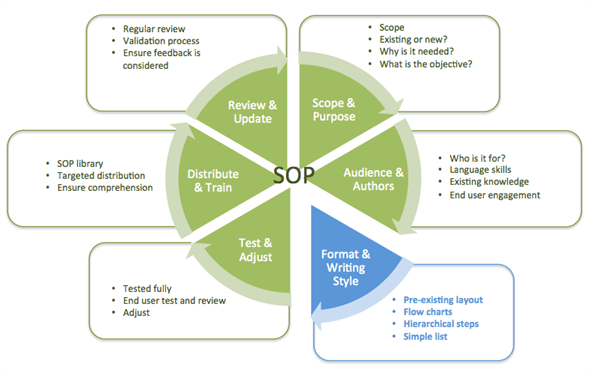
Standard Operating Procedures (SOPs) are the life-blood of consistent document management. The FDA frequently cites poor SOPs as a major cause of compliance problems. A well-written SOP will give a clear direction that helps avoid mistakes—something crucial for staying compliant.
An effective document handling SOP has: Purpose and scope statements, Clear roles and responsibilities, Step-by-step procedures, and Version history.
The core document management processes need standardization—organization, tracking, document storage, and reviewing. Detailed procedures must line up with your organization’s specific workflow for each area.
Assign document owners
Document ownership boosts accountability and makes shared communication better between departments. A transparent system emerges when specific documents have clear owners. Everyone knows who updates and maintains critical information.
Document ownership can work automatically through functional roles, manually for specific documents, or through collaborative models. Document management software helps owners keep documents accurate, notifying them when it’s time to review.
Encourage regular audits
Regular audits turn document management from just compliance into a competitive edge. System effectiveness reviews help spot improvements while meeting regulatory requirements.
Documentation audits are valuable beyond compliance—they streamline later processes and prevent duplicate work. Creating documentation right when events happen captures accurate and complete information for internal teams and external auditors.
Team training should happen regularly, not just once. A knowledge base that’s always available helps answer questions. Regular refresher courses keep everyone sharp.
Review and Improve Your System Regularly
A document management system needs regular evaluation to work properly. Studies show that strong DMS help companies become more agile and efficient by cutting down procedural steps. Here’s how you can keep your system running at its best.
Track usage and access logs
DMS keeps detailed records of all document activities: who accessed, edited, or shared documents. These logs help give business insights, support forensic analysis, and detect security breaches by monitoring unusual behavior.
Regular log analysis works better than just storing them. This approach helps identify patterns and red flags before security incidents happen. Most systems generate usage logs in W3C extended format.
Update software and security
Old systems create major security risks. The DMS software needs regular updates to get the latest security patches and features. This simple step protects documents from newly found vulnerabilities and attacks.
Delaying system updates can lead to serious problems. Many companies put off updates because they worry about costs or disruption. But skipping updates means missing out on improvements and leaving systems open to cyberattacks.
Adapt to organizational changes
Your document storage system should grow with your organization. Good document management software blends with other tools so document preservation practices work well with other business functions.
Regular security audits help replace old processes with new ones. This approach keeps up with new security threats and ensures documents stay safe. Document classification should adapt to company growth and new compliance needs.
Conclusion
Effective Document Management: Your Path to Organizational Success
In this piece, we’ve looked at the key parts of professional document management. Good document storage needs more than just filing papers away—you need a strategic approach that lines up with your organization’s goals.
Your specific document management goals are the foundations for everything that follows. Clear objectives help you decide between physical and digital solutions, system requirements, and how to structure your organization.
Document classification is a crucial part of this process. Systems won’t work efficiently without systematic categorization. You need a full picture of your documents before you can organize them properly.
Choosing between physical and digital document storage is one of the most important decisions you’ll make. Digital systems offer great advantages for searching and access. Some industries still need physical document preservation due to regulations. A hybrid approach often works best.
Without doubt, logical folder structures and consistent naming conventions can change messy collections into available resources. Strong metadata practices let users quickly find what they need. This saves those 28 days per year that people usually waste searching for documents.
Your strategy to protect documents should include regular backups, redundancy measures, and consistent monitoring. Poor protection can destroy a business—93% of companies that face major data loss go bankrupt within a year.
Technical systems are just as important as team training. Standard operating procedures, clear ownership assignments, and regular audits help make document management part of your organization’s culture.
Note that document management is an ongoing process, not a one-time project. Your system should grow with your organization and adapt to new requirements and technologies while you retain control and accessibility.
Good document management needs an initial investment in time and resources. The returns make it worth the effort—better efficiency, less risk, improved compliance, and reduced stress. These strategies can help turn document chaos into one of your organization’s best assets.
Related articles

Article
Onshore vs Offshore: Which Manufacturing Model Should Businesses Choose?
Onshore manufacturing refers to production within a company’s home country, helping to control quality, shorten delivery times, and ensure easier regulatory compliance. Offshore…
Read article

Article
How To Organize Your Home Storage Room | 10 Space-Saving Tips
Organize household storage with ten practical tips, an inventory template, safety checks and guidance on when external storage is worth considering.
Read article

Article
Secrets to Profitable Online Selling: 10 Ways to Save Costs
To sell online profitably, you not only need to increase sales but also maintain good control over operating costs. Items such as inventory, premises, packaging, shipping, and order…
Read article
