
 Tiếng Việt
 한국어
한국어 日本語
日本語Article· Updated October 15, 2026
What Nobody Tells You About Setting Up a Document Storage System
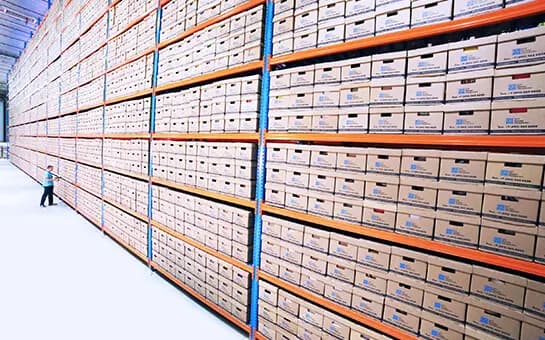
What Nobody Tells You About Setting Up a Document Storage System
Businesses of all sizes need document storage more than ever as paperwork volumes keep growing. Our experience shows how expanding operations make document preservation a significant task that organizations find challenging.
Document storage services have become popular with businesses because of their many advantages. These systems boost security and organization, and users can quickly find information through keyword searches and well-laid-out directory systems. A properly implemented storage system for archived documents acts as a single source of truth and dramatically improves document management.
But creating an effective document storage system needs more than just filing papers or saving digital copies. We’ll explore everything in building a document storage system that handles both physical needs—proper temperature, humidity controls, and security measures—and digital requirements to retrieve files quickly, maintain compliance, and prevent unauthorized access.
Understanding the Core Purpose of Document Storage
A reliable document management system does more than just store files—it serves several vital purposes for organizations of all sizes. Good document storage creates order from chaos and turns information into a valuable business asset.
Why businesses need structured storage
Today’s businesses handle massive amounts of information, making organized document management essential. Companies without proper systems face major operational challenges that hurt their profits.
Financial protection and compliance are pioneering reasons for document storage needs. Companies must follow both industry-specific and general legal requirements for keeping documents. A detailed document storage plan helps businesses stay compliant with these rules and avoid fines and legal issues. To name just one example, GDPR violations can lead to fines of up to €20 million or 4% of a business’s worldwide annual turnover, whichever is higher.
Cost reduction makes a compelling case for structured document storage. Poor document handling creates hidden expenses. Staff members spend roughly 18 minutes looking for a single document. One study shows misfiling costs companies around VND 3,049,780 per document. Lost documents can cost up to VND 5,591,263 per sheet to recreate.
Space optimization matters more as companies expand. Office space comes at a premium for most organizations. Physical documents take up about 15% of total office space. Office space in major American cities costs between VND 584,541 and VND 1,906,112 per square foot monthly. This makes document storage a major expense that proper management can reduce.
Enhanced security plays a crucial role in today’s threat landscape. Cyberattacks happen every 39 seconds, with financial losses reaching VND 20,026,888,921 per hour. Modern document storage systems use access controls, encryption, and audit trails to protect sensitive information.
Improved productivity comes naturally with structured storage. Office workers spend up to 4.5 hours weekly searching for documents. On top of that, 47% of digital workers struggle to find needed documents, while 36% miss important information due to data overload. Centralized document organization dramatically cuts this wasted time.

Archived documents: what needs to be preserved
Documents need different levels of preservation. Knowing which archived documents to keep and for how long forms the basis of effective document management.
Business-critical documents that need long-term preservation include:
- Financial records (minimum 7 years)
- Tax documents (3-7 years)
- Entity documents (permanently)
- Insurance policies (for the duration of coverage)
- Employment tax records (4 years)
- Operational records (at least 7 years)
Sensitive information that needs secure preservation includes customer data, employee records, intellectual property, contracts, and marketing and promotional materials. These categories need more than storage—they require proper classification, access controls, and secure disposal.
Experts suggest your document retention policy should clearly define what counts as a “business record.” Some U.S. states follow the Uniform Preservation of Private Business Records Act, which recommends keeping records for at least three years when specific retention periods don’t apply.
Document preservation doesn’t mean keeping everything forever. Good document storage identifies what you can safely destroy when it’s no longer needed. State and federal laws require companies to dispose of personal information once it has served its purpose.
Vietnamese businesses must consider both physical and digital storage methods for document archive management. This process covers collection, classification, retention period setting, storage, usage tracking, monitoring, and disposing of unnecessary documents.
A clear understanding of preservation needs and timeframes creates the foundation for effective document storage. Businesses that lack this clarity risk legal problems from keeping too little or face unnecessary costs and security risks from keeping too much.
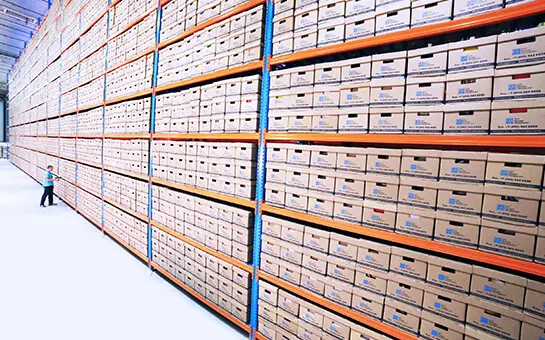
Designing a Storage System That Actually Works
You need careful planning and smart decisions to build a good document storage system. The right setup will save you time and money while keeping your documents safe and easy to find throughout their lifecycle.
Choosing between on-site and cloud storage
Your first big choice in document storage is where to keep your archived documents. This choice will affect everything from your costs to how easily you can access your files.
On-premises storage means keeping documents in your organization’s building or servers. You get full control over your data and security this way. Your team can access files offline without needing internet access. This setup might even lower your internet costs since you won’t need super-fast connections just to reach your files.
However, on-site systems need a big investment upfront in hardware, software, and infrastructure. As your storage needs grow, you’ll have to add new hardware, increase memory, and boost computing power. This takes money, work, expertise, and time. Your IT team also has to maintain everything, handle updates, and watch over security.
Cloud-based storage puts your document management on external servers that you access through web browsers. You can set it up quickly without buying lots of equipment. Instead of paying everything upfront, you’ll usually have monthly fees based on how many users you have and how much storage you need.
Cloud storage really shines when it comes to growing your system—you can adjust your resources with just a few clicks. Cloud services also keep your data backed up in different locations, which gives you better protection if something goes wrong.
The biggest drawback is that you need internet access—no connection means no documents. There’s another reason some organizations hesitate: they worry about letting others store their data.
Many businesses get the best results with a hybrid approach. They keep sensitive or frequently used documents on-site while storing archives and shared files in the cloud. This gives them flexibility while they retain control of their important information.

Planning for access and retrieval
The way you organize your storage system determines how quickly people can find and use documents.
Here’s what to consider when designing your system:
- Choose between centralized and decentralized storage structures. A central repository makes organization, search, and security simpler but can create bottlenecks. Decentralized systems offer flexibility but make document management more complex.
- Create logical folder structures and naming conventions that make sense to your organization. This helps people find documents easily as your system grows.
Good planning prevents workers from wasting the typical 18 minutes looking for a single document. Cloud solutions are great here, especially when you have features like live updates across devices and remote access.
Environmental controls for physical storage
Physical archived documents need specific conditions to stay preserved. A well-controlled environment slows down damage that builds up over time.
Temperature and humidity are crucial. Paper records do best at temperatures between 18-22°C (65-72°F) with relative humidity between 40-55%. Magnetic media needs long-term storage below 18°C and 40% relative humidity, while very long-term storage needs even lower levels.
Air quality plays a big role in preserving documents. Storage areas must stay clean, dust-free, and have filtered air. Good ventilation stops harmful compounds like nitrogen oxide, ozone, formaldehyde, and sulfur dioxide from building up.
Light exposure makes media deteriorate faster, mainly because of ultraviolet rays. You should either use lights without UV or filter it out, and keep overall light levels low.
Organizations track these conditions using various tools, from basic humidity strips and thermometers to advanced data loggers that constantly record environmental measurements.
A well-planned system that covers these three areas will protect your organization’s important information and keep it accessible when needed.
Meeting Legal and Compliance Requirements
Legal compliance serves as the life-blood of any successful document storage system. Your organization could face hefty penalties and legal exposure if regulatory requirements don’t get proper attention, even with sophisticated storage solutions.
Retention schedules and audit readiness
A records retention schedule works as the life-blood of a functional document management program. Your organization’s legal and compliance recordkeeping requirements define how long documents need to stay—no more, no less. Companies can boost resource use, manage document growth, and lower litigation risks by implementing a complete retention schedule.
Setting the right retention periods needs careful analysis of industry-specific regulations. While no single retention rule fits all records, most business documents must follow requirements from several federal agencies. These requirements state:
- Tax documents (3-7 years)
- Employment records (typically 4-7 years)
- Financial statements (minimum 7 years)
- Entity formation documents (permanently)
Organizations in eight U.S. states can follow the Uniform Preservation of Private Business Records Act (UPPBRA) for records without specific legislation. UPPBRA suggests keeping records for at least three years.
Audit readiness goes beyond just storing documents—you need to keep them in a state that shows ongoing compliance. An audit-ready document system has standardized naming rules, detailed access logs, and regular reviews. Version control and permission settings help manage document lifecycles well and alleviate non-compliance risks.
Data privacy and access logs
Data privacy rules add another layer of complexity to document storage in today’s regulatory world. We focused mainly on understanding data types, storage locations, and the consequences of mishandling.
GDPR can hit businesses with fines up to 4% of annual global turnover or €20 million (whichever is higher) for non-compliance. Understanding and using proper privacy controls isn’t just good practice—it helps preserve your finances.
Access logs are vital in demonstrating compliance with privacy regulations. A good audit trail for document sharing should track:
- User identity (who accessed the document)
- Document identification (what was accessed)
- Precise timestamp (when access occurred)
- Actions performed (view, download, print)
- Access status (successful or failed)
Yes, it is true that GDPR’s Accountability principle demands proof of compliance, not just compliance itself. Regular email or simple cloud storage don’t provide enough logging details. This makes specialized document management systems crucial for organizations that handle sensitive information.

Relevant local and international standards
International standards provide frameworks for compliant document management. For instance, ISO 15489 sets minimum requirements for keeping documents authentic, intact, and readable. ISO/TS 18759:2022 details functional requirements for storage systems that protect electronic information throughout its lifecycle.
Document management is at the heart of many ISO standards, including ISO 9001 (quality management) and ISO 14001 (environmental management). Furthermore, it focuses on information security management through ISO 27001, ensuring proper protection for confidential records.
Industry-specific regulations like HIPAA (healthcare), SOX (financial), and GDPR (data protection) impose their own document management rules beyond ISO frameworks. Whatever the industry, these standards champion continuous improvement through regular reviews and updates that align with amendments or organizational changes.
Organizations using document storage systems must consider both physical and digital compliance. Physical archived documents need secure facilities with limited access, while digital document systems need robust features like automated retention schedules, complete audit trails, and strict access controls.
Organizations can reshape the scene by tackling these legal and compliance requirements systematically. What looks like red tape can become a strategic advantage that reduces risks and improves operations.
Essential Equipment and Tools You’ll Need
You need the right equipment and tools to set up a functional document storage system. The right physical and digital components create the foundation of a lasting document management system.
Shelving, boxes, and labeling systems
A resilient physical storage system protects your archived documents from damage while keeping them accessible. Standard open shelving works well for active documents and gives quick access at about $150-$400 per unit. Mobile shelving systems can boost storage capacity by 50% by eliminating fixed aisles, though they cost $1,000-$1,500 per unit.
Archival-quality storage boxes are great for long-term protection against environmental threats. These acid-free containers stop paper documents from yellowing and breaking down. Prices range from $3-$20 based on size and quality. Metal cabinets provide better protection against fire and water damage but cost more, at $300-$800 per unit.
A good labeling system helps you find documents quickly. Barcode systems make it easy to identify and track items, with setup costs between $500-$3,000 depending on the scale. Color-coding creates visual cues that cut retrieval time by up to 40%. Clear naming rules help staff find documents even as team members change.
Space planning matters before you set up physical storage. Office space costs between $15-$50 per square foot annually, which makes economical storage systems a worthwhile investment.
Document scanners and OCR tools
You’ll need specialized equipment to turn physical documents into digital files. Simple desktop scanners ($200-$500) handle the basics at 15-30 pages per minute. Departmental scanners ($1,000-$3,000) work faster at 45-60 pages per minute and can hold 50-100 sheets. Production scanners ($5,000-$30,000) process 100+ pages per minute with better paper handling.
Optical Character Recognition (OCR) turns scanned images into searchable text. Simple OCR software is 85-95% accurate with standard documents. Advanced solutions reach 98%+ accuracy using machine learning that gets better over time. Single OCR licenses cost $100-$500, but most modern document systems include OCR.
Here are the key scanner features to assess:
- Duplex scanning (simultaneous two-sided processing)
- Resolution capabilities (300-600 DPI is sufficient for document storage)
- Paper handling (very important for different document sizes and conditions)
- Connectivity options (USB, network, wireless)
Your scanner choice should align with your document volume and type. Desktop models work well for teams handling under 500 pages weekly. Organizations processing 1,000+ pages daily need production-level equipment.
Document management software (DMS)
Modern archived document systems need software that organizes, secures, and shares documents. Cloud DMS solutions cost $15-$50 per user monthly with little upfront cost. On-premises systems require an initial license of $5,000-$25,000 plus annual maintenance at 15-20%.
A good DMS needs version control to prevent overwrites, access controls to limit document visibility, and audit trails to track usage. The system can also automate workflows and route documents through approvals, which saves 20-30% in processing time.
The way DMS connects with other systems affects how well it works. Smooth connections to email, CRM, and ERP platforms prevent information silos from forming. Setup and customization usually cost 2-3 times more than the software itself.
User adoption makes or breaks a DMS. Systems with accessible interfaces see 40-60% higher adoption rates than complex ones. The core team should test potential systems before buying to ensure they fit your needs.
Your equipment choice should balance current budget limits against future benefits. Quality tools provide returns through better efficiency, fewer errors, and stronger compliance.
Best Practices for Long-Term Maintenance
Your document storage system needs proper maintenance just like its initial setup. Your archived documents need constant care to stay preserved and accessible over time.
Routine inspections and pest control
Document preservation depends on regular checks of the storage area. Dust creates one of the biggest risks to paper documents. Storage areas contain dust particles that are 80% long fibers from paper, cotton, and wool. These particles harm materials directly and raise moisture levels, which allows microorganisms to grow.
Your documents and premises need careful inspection twice a year to control pests. Watch for signs like dead insects, larvae skins, cocoons, holes in document bindings, and brown, powder-like residue on shelves. The storage areas should be food-free. Windows need protective nets. Keep flowers out of storage rooms and clean the facility regularly.
Fire safety and humidity control
Paper records can catch fire easily, so complete fire protection is a must. Archives face high fire risks because they hold very dry and often irreplaceable materials. The best protection combines active systems that trigger with smoke/fire and passive systems that create physical barriers.
The right temperature and humidity levels help documents last longer. Paper documents do best at 18-22°C (65-72°F) with 45-60% relative humidity. When these levels change, paper can dry out, curl, grow mold, or lose its color. You should install proper climate control equipment and check conditions regularly with hygrometers and thermometers.

Regular backups and system updates
Digital archives need consistent backups to protect against data loss, corruption, and unauthorized access. Start with a well-laid-out backup schedule. Back up critical data daily and use regular incremental backups for better efficiency. Cloud storage helps with access and redundancy since providers keep data in multiple places.
Keep your backups offsite to protect against fires or floods. You can use cloud services or move backup media to secure locations away from your main site. Software solutions with automated scheduling and live backups reduce human error.
Test your data recovery processes regularly, especially after system upgrades. This ensures everything works together properly. A complete maintenance plan with all these practices will protect your document storage system for years.
Training Your Team for Success
The best document storage system will fail if employees don’t receive proper training. People need constant attention to maintain consistent document handling practices, unlike hardware or software systems.
Creating SOPs for document handling
Standard Operating Procedures (SOPs) give clear guidance to manage archived documents throughout their lifecycle. Good SOPs provide step-by-step instructions to create, store, retrieve, and dispose of documents. These procedures help maintain consistency between departments and reduce errors.
Here’s what you need to develop document management SOPs:
- Clear document control policies with specific guidelines for creation, storage, and sharing.
- Detailed procedures to organize, retrieve, and manage documents.
- Specific roles and responsibilities for each document lifecycle step.
- Simple language and visual aids that illustrate complex procedures.
Your SOPs need regular updates to reflect system changes and new regulatory requirements. This helps maintain compliance and makes operations more efficient.
User roles and permission levels
The right access controls protect sensitive information while enabling necessary collaboration. Document management systems typically support several permission types:
- Administrators control the entire system. They manage categories and give permissions to other users.
- Category managers oversee specific document categories.
- Viewers can only see documents and complete assigned training in their authorized categories.
Large organizations benefit from role-based permissions that control who can create, read, edit, or delete specific documents. This approach reduces security risks. Team members get exactly the access they need.

Ongoing training and support
The original training starts your document management education strategy. Your team needs continuous learning opportunities through refresher courses, advanced sessions, and updates about new features to use the system well.
Good training helps teams work better as they learn to use advanced features like metadata tagging and automated workflows. Teams with proper training make fewer mistakes. They don’t misplace documents or overwrite important versions.
Introducing Professional Document Storage Services at MyStorage
Are you facing the challenges mentioned in this article – shrinking office space, concerns about document security, and the pressure to comply with storage regulations? MyStorage offers a professional, secure, and flexible document storage solution to help your business completely solve these problems.
At MyStorage, we understand that your archived documents are more than just paper. They are intellectual property, legal records, and the operational history of your company. That’s why we provide:
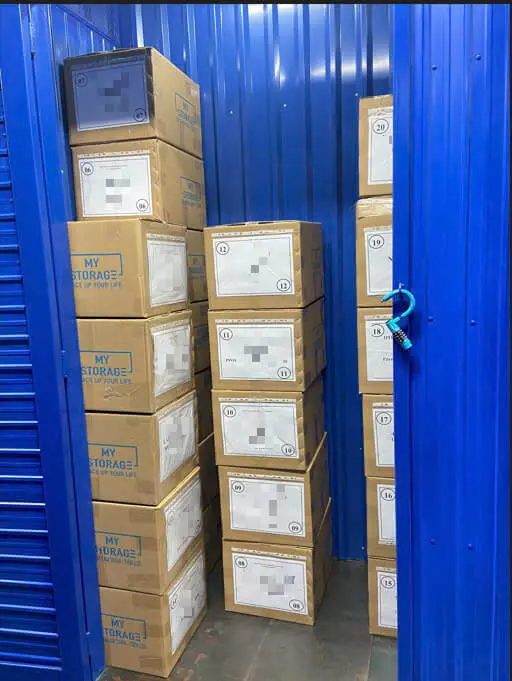
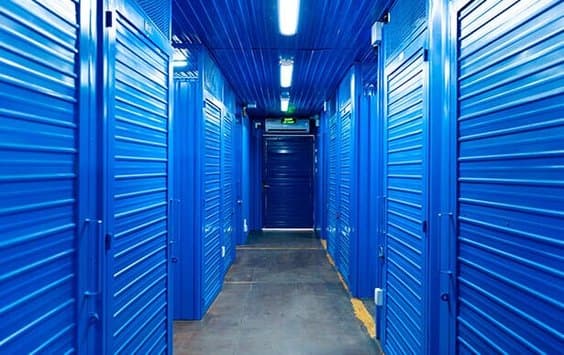
- Maximum Security: Our facilities are equipped with 24/7 surveillance cameras, a personal PIN code access control system, and on-site security staff, ensuring only you can access your documents.
- Controlled Environment: Our storage units are always clean, dry, and climate-controlled, protecting your important documents from harmful factors like humidity, mold, and pests.
- Flexibility and Savings: We offer various unit sizes to fit every need, from a few boxes of documents to an entire corporate archive. You only pay for the space you use, optimizing costs compared to expensive office rent.
- Convenience: Easily access your storage unit whenever you need to. MyStorage helps you free up valuable office space to focus on your core business activities.
Let MyStorage become your trusted partner in managing your archived documents. Contact us today for a consultation on the best storage solution for your business and to receive a special quote!

Conclusion
A successful document storage system needs detailed planning and careful execution. This piece explores how proper document storage does more than just filing papers away. Smart document management works as a strategic business asset that protects organizations from compliance problems and boosts operational efficiency.
Financial matters play a key role in storage decisions. The right system cuts costs by reducing search time, preventing document loss, and making the best use of office space. On top of that, it helps you choose between on-premises, cloud-based, or hybrid storage options that affect your initial investment and running costs.
Your physical documents need special care through environmental controls. Temperature, humidity, light exposure, and air quality greatly affect document life. Digital storage needs regular backups, system updates, and resilient security measures to keep your information safe.
Every serious document management strategy must follow legal rules. Your retention schedules should match relevant regulations. Access controls and detailed audit trails show your dedication to data privacy standards.
Quality equipment and tools build your system’s foundation. Good shelving, proper storage boxes, reliable scanners, and powerful management software create the framework you need to succeed. All the same, even the best system fails without proper staff oversight.
Staff training deserves as much focus as technical setup. Clear procedures, defined user roles, and regular education help maintain consistent document handling across your organization.
Document storage might look daunting at first, but a step-by-step approach makes it simple. Start with your specific needs, create good policies, pick the right tools, and train your team well. Your investment will pay off through better security, compliance, and efficiency over the next several years.
Related articles

Article
Onshore vs Offshore: Which Manufacturing Model Should Businesses Choose?
Onshore manufacturing refers to production within a company’s home country, helping to control quality, shorten delivery times, and ensure easier regulatory compliance. Offshore…
Read article

Article
How To Organize Your Home Storage Room | 10 Space-Saving Tips
Organize household storage with ten practical tips, an inventory template, safety checks and guidance on when external storage is worth considering.
Read article

Article
Secrets to Profitable Online Selling: 10 Ways to Save Costs
To sell online profitably, you not only need to increase sales but also maintain good control over operating costs. Items such as inventory, premises, packaging, shipping, and order…
Read article
