
 Tiếng Việt
 한국어
한국어 日本語
日本語Article· Updated October 16, 2026
Safe Electronic Storage: How to Properly Store Electronic Devices
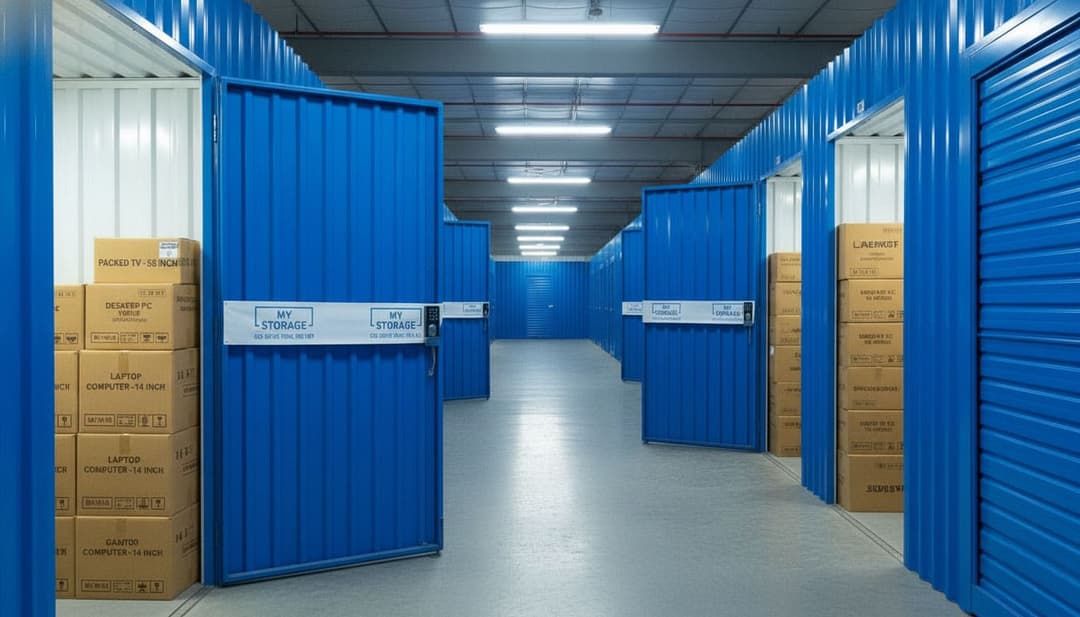
Electronic devices consistently rank among the high-value assets in every household and business. According to Statista’s 2023 statistics, the average spending on personal electronic devices in Vietnam has surpassed the $300/person/year mark – a significant figure for many households. However, not everyone knows that over 35% of electronic device malfunctions stem from improper storage and preservation, especially given Vietnam’s hot, humid, and dusty climate conditions.
In reality, many people often encounter situations such as:
- Home renovation, moving house: Needing to temporarily relocate and store TVs, computers, audio equipment, etc.
- Infrequently used items: Projectors, record players, gaming consoles, etc., are often only used on special occasions, spending most of their time in storage.
- Long-term storage: Businesses and online shops needing to rent storage for samples, backup equipment, or inventory.
Improper technical storage of electronics, such as leaving them in damp places, without shock protection, or without disconnecting battery power, can lead to serious consequences: mainboard damage, short circuits, component rust, and reduced device lifespan.
According to a survey by the Vietnam Electronics Association, for every 10 electronic devices stored long-term, 3 experience malfunctions when retrieved for reuse.
The goal of this article is to provide you with detailed instructions on how to store electronic devices correctly, safely, and minimize risks – whether you’re renovating, moving house, or simply want to preserve your equipment long-term. Let’s explore the crucial steps and considerations to best protect your electronic assets.
Why Proper Electronic Storage is Essential?
Electronic devices, whether computers, TVs, speakers, cameras, or smart gadgets, are highly sensitive to their storage environment. Unlike wooden furniture or clothing, electronic components are easily negatively affected by external factors such as:
- Humidity, temperature: Excessively high or low temperatures, especially humid environments, can cause components to rust, accumulate condensation, leading to short circuits or oxidation.
- Impacts, vibrations: When moved or stored improperly, internal components can easily become loose, crack, or result in screen or mainboard damage.
- Dust, insects: Prolonged dust accumulation can clog cooling vents, reducing cooling efficiency. Insects like ants and cockroaches can crawl in, build nests, and damage circuit boards.
Risks of Improper Storage
If stored incorrectly, electronic devices will face numerous risks:
- Component oxidation: Even a short period in a damp place can cause pins, connectors, chips, etc., to corrode, lose connection, or short circuit.
- Screen, mainboard damage: Even minor impacts during packing or careless handling can cause screen lines, cracks, or complete mainboard failure.
- Reduced device lifespan: Improper storage makes devices less stable or causes them to degrade faster, increasing repair and replacement costs.
According to statistics from the electronics industry, over 30% of electronic device faults originate from unsuitable storage conditions. This means that by simply paying more attention to storage and preservation, you can extend the lifespan of your devices, significantly saving on repair costs and new investments.
Proper electronic storage not only helps protect the value of your assets but also ensures devices are always ready and safe whenever you need to use them again.

General Principles for Storing Electronic Devices
Electronic devices such as computers, TVs, speakers, and cameras always demand stricter storage conditions than other types of assets. Incorrect storage not only shortens the lifespan of your devices but also causes damage that can be difficult to repair. Here are some important principles to follow:
Completely Disconnect Power
Before storing any device, ensure it is completely powered off and unplugged. For portable devices like laptops and cameras, it’s advisable to remove the battery or detachable rechargeable batteries to prevent battery degradation, chemical leakage, or electrical issues during storage.
An IEEE study indicates that devices stored without being powered off or with batteries removed have an 18% higher risk of component damage compared to fully disconnected devices.
Back Up Important Data
Before putting away devices like computers, hard drives, or phones, make sure to back up all important data to an external device (USB, portable hard drive, or cloud storage).
This safeguards your information from loss due to hardware failure or unexpected incidents after a long period of disuse.
Clean Devices Before Packaging
Thoroughly cleaning dust, wiping surfaces, and drying connection ports before packaging will help prevent oxidation, dust accumulation on components, or insect nesting. According to electronics industry statistics, devices not cleaned before storage face a 12–15% increased risk of physical failure.
Avoid Storing in Humid, Hot, or Direct Sunlight Conditions
- Humidity: Components and circuit boards are highly susceptible to rust and oxidation in humid environments.
- Heat: High temperatures can deform materials, reducing the lifespan of batteries and components.
- Direct Sunlight: UV rays can fade device casings and damage plastic or rubber materials. Opt for a dry, cool place, away from windows and heat sources. Electronics industry data indicates that over 30% of device failures stem from unsuitable environmental storage conditions.
Do Not Stack Heavy Objects on Devices
Electronic devices are inherently vulnerable to compressive force. Avoid placing heavy objects on laptops, TVs, monitors, or speakers to prevent cracking, warping, or damage to the mainboard. If stacking is necessary, ensure only lighter devices are placed on top and use shock-absorbing materials for protection.
By adhering to these principles, you can reduce the risk of damage and value loss by up to 30% compared to spontaneous, uncontrolled storage.
Proper electronic device storage not only protects your assets but also helps save on repair and replacement costs, while keeping personal or business data secure.
Guide to Storing Specific Electronic Devices
Storing Laptops & PCs
Laptops and desktop computers are high-value devices prone to damage if stored improperly. According to TechCare statistics (2023), 20% of laptops fail after storage due to humidity or impact.
Steps for safe storage:
- Power off completely, remove battery (if applicable): Helps prevent battery leakage and electrical issues.
- Package properly:
- Use shock-absorbing foam to fully wrap the device.
- Place it in a sturdy, snug-fitting cardboard box.
- Add silica gel desiccant packets to limit moisture.
- For PCs:
- Disassemble the monitor and accessories like the mouse and keyboard.
- Secure internal components (graphics card, hard drive) to prevent loosening or breaking pins due to vibration.

Storing Computer Monitors
Monitors are very fragile components, accounting for up to 15% of damage cases during storage or transit (according to PCMag 2022).
Storage guidelines:
- Use the original box or a specialized container to ensure a snug and secure fit.
- Store the monitor upright (as it would be used), avoiding prolonged horizontal placement which can warp the panel.
- Insert foam padding at all four corners to absorb impacts.
- Clearly label the outside of the box: “Monitor – Fragile – Do Not Stack”.
Storing TVs
Modern TVs are very thin and prone to bending or cracking if stored incorrectly. Samsung’s research indicates that over 10% of TVs suffer screen cracks due to horizontal placement or impacts during storage.
Storage tips:
- Remove the stand and wrap it separately to prevent damage.
- Use the original box (preferred) or a thick cardboard frame with shock-absorbing foam.
- Absolutely do not store the TV horizontally for extended periods to prevent screen warping.
- Avoid strong vibrations during transport.
Storing Printers, Photocopiers, Projectors, Speakers & Other Devices
Peripherals are also very sensitive to environmental conditions and impacts.
Storage steps:
- Clean off dust, remove ink or cartridges for printers and photocopiers.
- Wrap the device in an anti-dust bag and place it in a box with shock-absorbing foam.
- For speakers and projectors: Detach cables, cover all ports to prevent dust and insects.
- Place the device in a stable location, do not stack heavy objects on top.
Summary Table of Storage Guidelines for Common Electronic Devices
| Device | Packaging & Storage | Technical Notes |
|---|---|---|
| Laptop, PC | Shock-absorbing foam, cardboard box, desiccant bag | Power off, remove battery, secure components |
| Computer monitor | Original box, foam at 4 corners | Store upright, do not stack, label “fragile” |
| TV | Original box/thick foam | Remove stand, do not store horizontally, avoid vibrations |
| Printer, photocopier | Cardboard box, anti-dust bag, foam | Remove ink, detach cartridge, do not stack heavy objects |
| Projector | Fabric bag, shock-absorbing foam | Detach cables, seal ports |
| Speaker | Wrap in foam, cardboard box | Detach cables, keep in dry place, do not stack |
| External hard drive, storage device | Plastic box, anti-static bag | Back up data, avoid impacts |
| Camera, DSLR | Specialized bag, foam | Remove battery, detach lens, use desiccant bag |
| Phone, tablet | Original box, shock-absorbing bag | Power off, remove SIM, battery (if removable) |
Ideal Storage Conditions for Electronics
To ensure devices remain in optimal condition throughout storage, the following conditions must be met:
- Temperature: 18–30°C (Too low temperature can cause condensation, too high reduces component lifespan)
- Humidity: Below 60% (High humidity causes rust, mold, short circuits)
- Storage space:
- Well-ventilated
- Equipped with anti-humidity, anti-mold measures
- Free from insects and rodents
- Regular checks:
- For long-term storage (over 3 months), devices should be checked every 1–2 months to promptly detect mold, insects, or signs of damage.
According to surveys in the electronics industry, 70% of devices stored under ideal conditions still function normally after 12 months in storage, whereas devices stored incorrectly have a damage rate three times higher.
Proper technical storage of electronics not only helps preserve the value of your devices but also minimizes the risk of damage, saving on repair and replacement costs. Invest a little time in packaging and choosing a standard storage location to keep your devices durable and looking like new.
Where to Safely Store Your Electronics?
Laptops, PCs, monitors, and TVs are high-value devices highly sensitive to humidity, temperature, and impact. According to statistics from the technology equipment preservation industry, over 30% of hardware failures stem from unsuitable storage conditions, especially when devices are kept in damp environments for extended periods.
Choosing the right storage location not only helps protect your devices but also extends their lifespan and reduces potential repair costs.
| Storage Option | Safety Level | Environmental Control | Security | Suitability |
|---|---|---|---|---|
| Home storage | Low – Medium | Difficult to control humidity, temperature | Depends on household | Short-term, few devices |
| Storing at a friend’s/relative’s house | Medium | Not specialized | Limited | Temporary, small quantity |
| Renting self-storage | High | Stable humidity, temperature control | 24/7 Cameras & security | Long-term, high-value devices |
In hot and humid climates like Vietnam, storing devices at home or a friend’s/relative’s house can easily lead to component oxidation, screen discoloration, or mold growth after 3–6 months.
In contrast, self-storage units are designed with moisture-proof flooring, good ventilation, and environmental control, significantly reducing these risks.
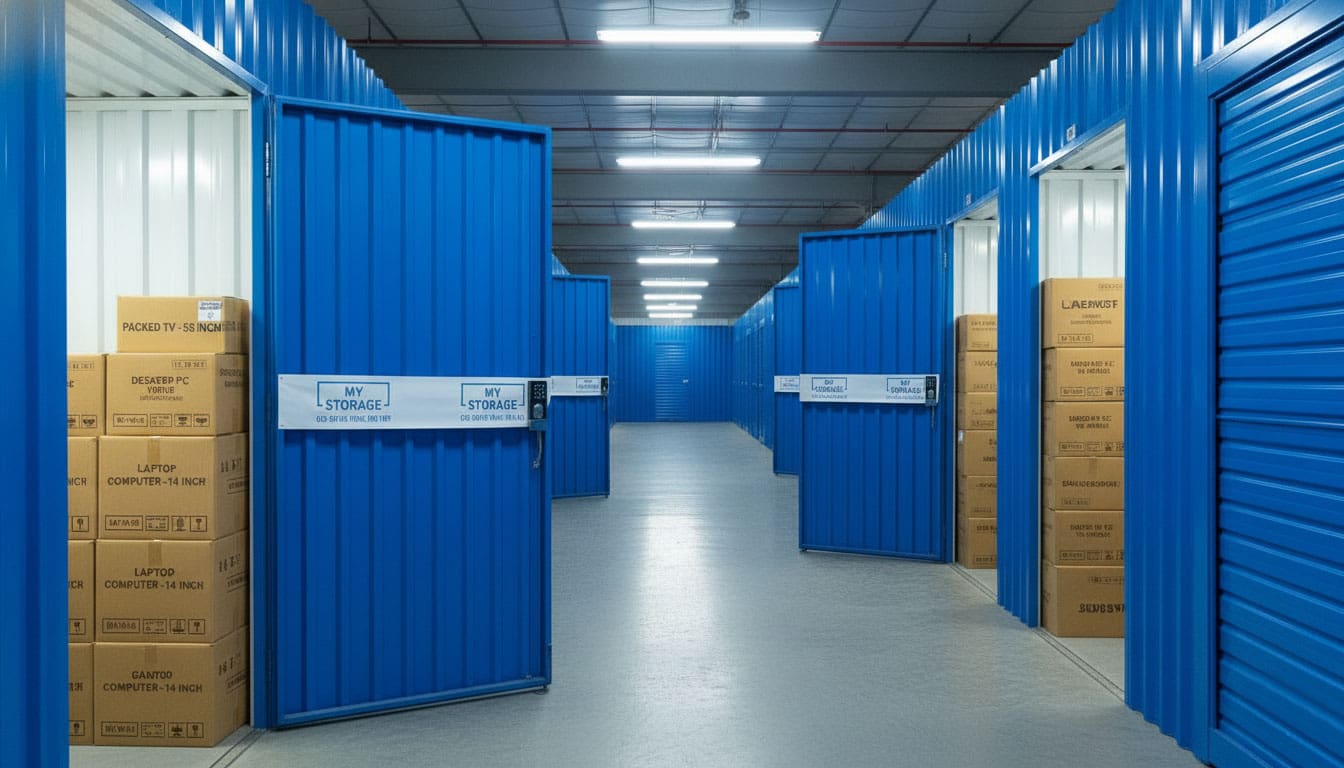
MyStorage is a modern self-storage system, designed to keep your assets safe, clean, and in a stable environment, regardless of weather conditions.

MyStorage’s standout feature lies in its dehumidification system combined with temperature control, which helps maintain optimal humidity and temperature levels for sensitive assets such as electronics, documents, goods, furniture, and IT equipment. This significantly reduces the risk of mold, oxidation, and damage compared to conventional storage.
In addition to environmental control, MyStorage self-storage facilities also ensure:
- Private storage spaces, managed by customers with personal locks
- 24/7 security with cameras and multi-layered access control
- Clean, airy warehouses, suitable for both short-term and long-term storage
- Flexible space, easily expandable or reducible according to needs
With convenient locations and professional operating standards, MyStorage offers a safe and efficient storage solution for both individuals and businesses, especially when preserving valuable assets or requiring a stable environment.
When Should You Rent Electronic Storage?
Renting storage is a suitable solution when you need to preserve equipment for medium to long periods, especially during home renovations, interior remodeling, or when moving homes or offices.
Moving electronic devices out of construction areas helps limit dust, impacts, and unintended damage.
For infrequently used devices such as desktop computers, spare monitors, or large-screen TVs, storage helps free up living space while ensuring safe storage conditions.
For businesses, especially e-commerce models or IT companies, professional storage helps preserve goods, equipment, and components more stably than temporary storage in offices or substandard warehouses.
In fact, businesses that rent professional storage can reduce equipment damage and maintenance costs by 20–30% compared to self-storage in uncontrolled environments.
Cases when you should rent storage
Rent storage during home renovations or interior remodeling: Construction often generates fine dust, vibrations, and humidity, which can easily affect laptops, PCs, monitors, and TVs. Storing them in a warehouse helps protect equipment throughout the renovation period.
- Moving homes or offices storage: When equipment cannot be immediately installed at the new location, storage acts as a safe intermediary point, giving you flexibility in terms of time and arrangement progress.
- Storing infrequently used equipment: Devices such as spare monitors, old computers, or large-screen TVs often take up a lot of space if kept at home, yet require good storage conditions to prevent degradation.
- Businesses needing to store technology equipment: Particularly suitable for e-commerce businesses, IT companies, or offices with many devices requiring phased storage.
| Need | Risk if stored at home | Benefit of renting storage |
|---|---|---|
| Home renovation, remodeling | Dust, humidity, impact | Safe preservation, avoid damage |
| Moving home/office | Equipment easily lost | Temporary, flexible storage |
| Infrequently used equipment | Takes up space, mold | Frees up space, good preservation |
| IT businesses | Difficult to control security | 24/7 security, stable environment |
Overall, renting electronic storage is a sensible choice when you need to protect high-value equipment, store it medium to long-term, or optimize living and working space. Choosing a warehouse with humidity control and good security will help minimize risks and additional costs incurred during the future use of the equipment.
FAQ
You should rent a storage unit when renovating, moving house or office, or when you need medium- to long-term storage for electronic devices.
Home storage is convenient but carries risks related to humidity, dust, and lack of environmental control.
Yes. Professional storage units offer humidity control, 24/7 security, and clean environments suitable for high-value electronics.
Laptops, PCs, monitors, TVs, IT equipment, and rarely used devices are suitable for storage.
Yes, especially for IT companies, e-commerce businesses, or offices needing phased storage and cost optimization.
Yes. Storage units free up living space and protect devices better than long-term home storage.
It’s recommended to check the storage provider’s insurance policy or purchase additional coverage for high-value items.
Yes, as long as the facility maintains stable humidity, temperature, and security.
Storage rental reduces damage-related costs and saves space compared to improper self-storage.
Choose a clean facility with humidity control, strong security, and convenient access.
Related articles
Article
Onshore vs Offshore: Which Manufacturing Model Should Businesses Choose?
Onshore manufacturing refers to production within a company’s home country, helping to control quality, shorten delivery times, and ensure easier regulatory compliance. Offshore…
Read article
Article
How To Organize Your Home Storage Room | 10 Space-Saving Tips
Organize household storage with ten practical tips, an inventory template, safety checks and guidance on when external storage is worth considering.
Read article

Article
Secrets to Profitable Online Selling: 10 Ways to Save Costs
To sell online profitably, you not only need to increase sales but also maintain good control over operating costs. Items such as inventory, premises, packaging, shipping, and order…
Read article
