
 Tiếng Việt
 한국어
 日本語
Article
What Is Logistics Management Software? How To Choose It For Your Business
On this page
Logistics management software is a technology system that helps a business automate and track storage, transport, order handling and delivery across the supply chain. The right choice depends on operating scale, data integration and total cost of ownership. A good fit cuts manual errors and strengthens a business’s competitiveness in 2027.
What Is Logistics Management Software
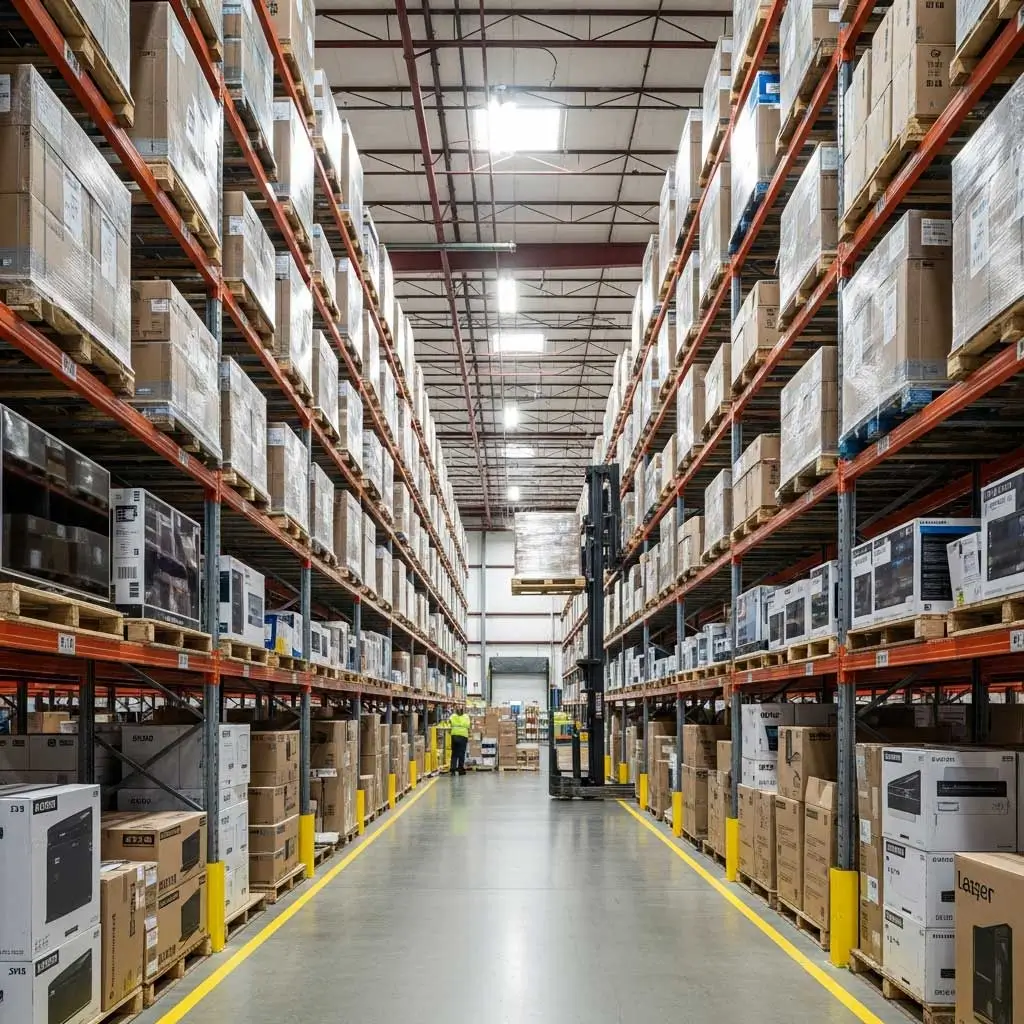
Logistics management software is a digital platform that connects data between suppliers, warehouses, truck fleets and end customers in one central system. A business no longer runs on paper documents and manual spreadsheets. Managers track the flow of goods and costs accurately in real time. This is what separates it from a set of disconnected tools.
In a modern supply chain, logistics activities form a tightly linked chain: receiving orders, counting goods into the warehouse, storage, picking and packing, dispatching transport, last-mile delivery and freight reconciliation. As orders grow, manual coordination causes information delays between departments. The software turns these steps into automated data flows so every team works from one source of numbers.
Many businesses confuse specialized logistics software with enterprise resource planning (ERP). An ERP manages finance, accounting, HR and purchasing for the whole company. Logistics software goes deep into field operations such as locating shelf bays, optimizing truck routes, barcode scanning and filing transport documents.
According to the Vietnam Logistics Report of the Ministry of Industry and Trade and digital-transformation surveys by the Vietnam Logistics Business Association (VLA), applying technology to manage operations is becoming a survival requirement. Technology helps domestic businesses narrow the productivity gap and lower the share of logistics cost in product cost.

Common Types Of Logistics Software
Logistics management software falls into four main functional groups: warehouse management (WMS), transport management (TMS), order management (OMS) and international freight forwarding (FMS). Depending on its role in the supply chain, a business deploys each module separately or links several systems together. The sections below describe each group, followed by a table comparing their scope.
Warehouse Management System (WMS)
Warehouse management software (WMS) controls every activity inside the warehouse in real time: receiving, shelf location, picking, packing and stock counts. It is the core platform for distributors, manufacturers, e-commerce sellers and warehouse service providers. As a result, stock figures track the goods on the shelf closely. Each scan also records who moved what and when.
- Location and item control: Identifies each of the rows, levels and bays and updates stock the moment a barcode or RFID tag is scanned.
- Batch-based inbound and outbound: The system directs staff to ship by first-in-first-out (FIFO) or first-expired-first-out (FEFO). That leaves less near-expiry stock sitting unsold.
Transport Management System (TMS)
Transport management software (TMS) plans routes, dispatches fleets, tracks GPS positions and reconciles freight charges. It directly cuts fuel cost and raises how fully each truck is loaded. Businesses with their own fleet or hired trucks benefit most clearly. Together these functions replace manual trip sheets and phone calls to drivers.
- Route optimization: Automatically groups orders and calculates the shortest route by truck-ban hours, delivery points and real traffic conditions.
- Partner and freight management: Stores the rate cards of many outsourced carriers, calculates freight per trip or by weight, and supports matching electronic proof of delivery (ePOD).
Order Management System (OMS)
Order management software (OMS) receives, consolidates and routes orders from many sales channels to the right fulfilling warehouse. It is a necessary tool for the multichannel retail model in 2027. An OMS sends each order to the right warehouse on time, whether it comes from a website, a store or an e-commerce marketplace.
- Multichannel stock sync: Connects directly with websites, physical stores and e-commerce marketplaces to deduct stock in sync. That keeps the business from selling more than it actually holds.
- Smart order allocation: Automatically sends each order to the warehouse nearest the buyer, shortening delivery time and cutting last-mile shipping cost.
International Freight Forwarding Software (FMS)
Freight management software (FMS) serves forwarders and import-export businesses. An FMS issues transport documents (B/L, AWB), supports customs declarations and manages sea and air freight charges. As a result, international documents stay consistent and freight reconciliation is faster. Forwarders handle many documents per shipment, so consistency saves time at every handover.
- Standardized international documents: Automatically creates bills of lading, packing lists and commercial invoices and syncs data with the electronic customs system to reduce entry errors.
- Profit management by shipment: Tracks revenue, local charges, port surcharges and net profit margin on each shipment file (job costing).
The table below helps you tell the scope of the four most common types of logistics software apart at a glance:
| Software type | Main scope | Core optimization metrics | Suitable businesses |
|---|---|---|---|
| WMS (Warehouse management) | Receiving, storage, picking, packing and counting inside the warehouse | Stock accuracy, order processing speed, shelf fill rate | Distributors, e-commerce retail, factories, 3PL warehouses |
| TMS (Transport management) | Route planning, dispatching, GPS tracking, freight reconciliation | Fuel cost, empty-run rate, on-time delivery | Transport companies, businesses with a fleet or large hired transport |
| OMS (Order management) | Multichannel order intake, fulfilling-warehouse allocation, returns | Order confirmation speed, fewer cancellations from stockouts | Multichannel retail brands, e-commerce businesses |
| FMS (Freight management) | Import-export documents, bills of lading, customs, international freight | Document accuracy, profit margin per shipment | Freight forwarders, customs agents, import-export businesses |
Benefits Of Using Logistics Software
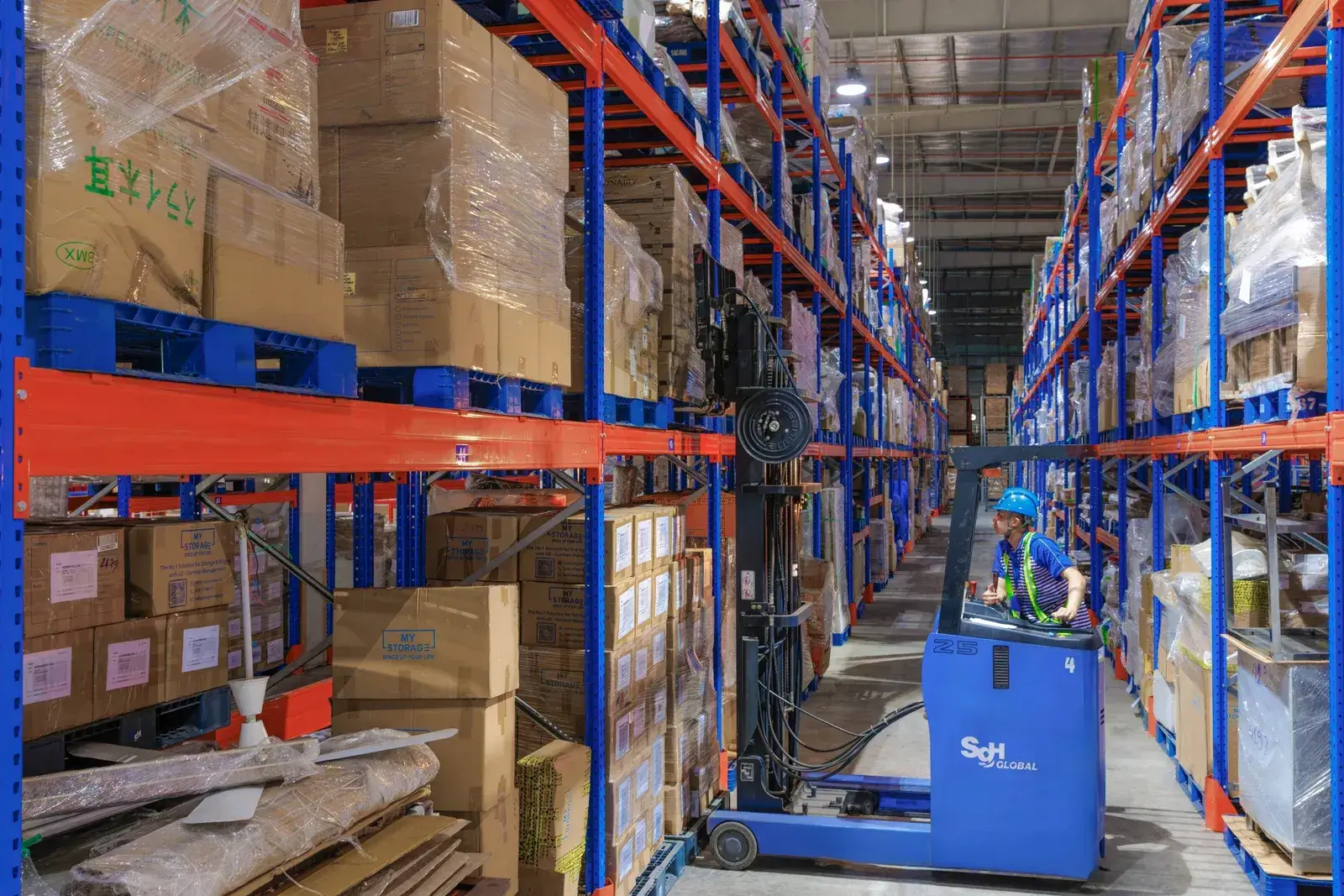
Logistics management software brings four measurable benefits: transparent real-time data, lower operating cost, faster delivery and fewer human errors. When the supply chain runs on one synchronized digital platform, a business sees the change in both field performance and financial results. The list below shows where each gain appears and what drives it.
- Lower warehouse and transport costs: The system spots slow-moving items that tie up capital early, optimizes the number of delivery trips and removes surcharges caused by waiting to unload or by wrong documents.
- Better accuracy and customer experience: Automatic barcode scanning reduces wrong shipments. Online tracking codes let customers follow a parcel and improve the on-time-in-full (OTIF) rate.
- Data-based decisions: Leaders see each warehouse’s performance, staff productivity and cost per order instantly on a dashboard, instead of waiting for a manual report at month end.
- Easier scaling: Standardized processes let the business handle several times more orders in promotion seasons or around Tet without mass-hiring administrative staff.
Criteria For Choosing Logistics Management Software
To choose the right logistics management software in 2027, a business needs to assess four criteria: fit with the business model, integration and scalability, total cost of ownership and quality of technical support. Investing because of a trend without assessing real needs easily wastes budget or leads staff to refuse to use the system.
Choosing Logistics Software That Fits Your Size And Model
A business should pick software that solves its current bottleneck instead of buying a huge system full of unused features. Each business model has a different operational focus. The three groups below show which features to prioritize and why. Choosing by model also keeps the first deployment small, fast and easier for staff to adopt.
- Retail and e-commerce businesses: Prioritize a combined OMS and WMS that connects out of the box with e-commerce marketplaces and express carriers.
- Manufacturing and B2B distribution businesses: Focus on batch and expiry management, carton and pallet packing standards, and a TMS module that dispatches trucks to dealers.
- 3PL service providers: A multi-tenant function is mandatory, with confidential stock data separated for each client and automatic storage and handling fees by contract.
Integration And Scalability Of Logistics Software
Logistics software needs an open API to sync with accounting software, ERP, e-commerce marketplaces and carriers. A closed system that cannot exchange data with existing software creates new “information islands”. Staff then still have to do exporting and importing Excel files by hand. Integration is the criterion that is hardest to fix after purchase.
A business should also check the platform’s scalability. Three points to confirm with the provider:
- Adding new warehouse sites: The system supports opening more sites without rebuilding the data.
- Adding user accounts: Fees and configuration allow more users as the team grows.
- Staying stable under load: The mobile app keeps running reliably when order volume rises 3 to 5 times in future.
Investment And Operating Cost Of Logistics Software
A business needs to calculate total cost of ownership (TCO) over 2 to 3 years, covering license or subscription fees, deployment cost, hardware and maintenance fees. Counting all of these avoids hidden costs after signing the contract. In 2027, a business has two common cost models. The two models differ mainly in upfront spending and who maintains the system.
- Cloud subscription model (SaaS): Pay periodically by month or year, based on users, warehouse sites or order volume. Upfront capital is low, deployment is fast and new features update automatically, so it suits small and medium businesses well.
- On-premise license model: A large upfront cost for licenses, internal servers and a technical operations team. This model suits large groups with deep customization needs and special internal data-security policies.
Real prices vary widely by module (WMS, TMS, OMS or FMS) and by the level of integration customization. A business should write a detailed requirements list and ask 2 to 3 reputable providers for direct quotes to compare.
Data Security And Support From The Software Provider
A reputable provider should commit clearly to data-security standards, automatic backups and a technical support team that responds quickly in Vietnamese. Warehousing and delivery run continuously every day, so any system outage hits revenue directly. Check these four things carefully before signing. Downtime during a peak outbound hour is the scenario to ask about.
- Uptime commitment (SLA): The system’s stability level is stated in writing.
- Backup policy: Backup data is saved on a fixed schedule.
- Training roadmap: There is a plan to train field staff.
- Peak-hour support channel: There is a direct support channel during peak outbound hours.
Checklist For Assessing And Deploying Logistics Software
The checklist below helps a business control technical risk and put logistics management software into real operation on schedule. The business follows a six-step roadmap, then scores each provider on four items. Each item has a clear pass standard to check against. Scoring every provider on the same four items keeps the comparison fair.
The roadmap for choosing and putting software into use has six sequential steps:
- Survey current bottlenecks
- Write a list of operating requirements
- Trial (demo) 2 to 3 providers
- Clean item and route data
- Run a parallel trial
- Go live officially
Use the table below to score and compare providers before deciding on the investment:
| Item | What to check | Pass standard |
|---|---|---|
| Core operations | Stock management, barcodes, expiry dates, fleet dispatch, reports | Covers at least 85% of real operations without heavy customization |
| Integration and technology | Open API, links to accounting software, ERP, e-commerce marketplaces, mobile app | Clear API documentation and scanning on a phone or dedicated scanner |
| Cost and contract | Total cost of ownership over 24 to 36 months, integration fees, fees for adding accounts | Transparent price list with no hidden costs as order volume grows |
| Deployment and support | Warehouse staff training roadmap, SLA commitment, Vietnamese-language support channel | A deployment team that works alongside you and a written commitment on incident response time |
Investing in logistics management software is the move from gut-feel management to operations based on accurate data in 2027. Technology reaches its full strength only when internal processes are standardized, input data is clean and field staff are ready to change how they work.
Frequently Asked Questions About Logistics Software
Below are detailed answers to the 15 questions businesses ask most often when researching, choosing and deploying logistics management software.
How is logistics software different from ERP software?
Logistics software specializes in field supply-chain operations (warehousing, transport, forwarding). An ERP manages finance, HR and purchasing for the whole company. Many ERP systems include a basic warehouse module. When a business needs high-speed barcode scanning, detailed shelf-location management or truck route optimization, it should use dedicated logistics software and connect it to the ERP through an API.
Which software should a small business use?
A small business should start with order management software (OMS) or cloud warehouse management software (Cloud WMS) that has a simple interface in its own language and monthly billing. A lightweight solution protects cash flow and can be deployed within weeks. The business avoids complex operations before its scale grows into advanced modules such as a TMS.
Cloud or installed software?
Cloud software (SaaS) suits most small and medium businesses thanks to low upfront cost, easy remote access and no IT team to maintain servers. The on-premise model is usually chosen only by large groups, when they have special customization needs and strict internal data-storage rules.
How much does logistics software cost in 2027?
The cost of logistics management software in 2027 has no fixed level. The price depends on the number of modules (WMS, TMS, OMS, FMS), user accounts, warehouse sites and the level of integration. A business should count the full total cost of ownership, including subscription fees, barcode scanning devices and training, then contact providers directly for a quote that fits its needs.
How do WMS and TMS differ?
A WMS manages everything inside the warehouse, while a TMS manages moving goods from the warehouse to the delivery point. The two complement each other directly: the WMS finishes preparing the parcel and releases it, then the TMS takes that information to group trips, dispatch trucks and track the delivery route.
Does logistics software integrate with accounting?
Yes. Most modern logistics management software supports API connections or standard data export to sync with popular accounting software. As a result, accountants automatically record stock receipts and issues, calculate cost of goods sold and reconcile freight payables without entering data twice.
How long does deployment take?
Deploying a basic Cloud WMS or OMS for a small business usually takes 2 to 6 weeks. A multi-module system for a large business can take 3 to 6 months. Actual progress depends on how clean the item (SKU) data is, the existing processes and how fast warehouse staff pick things up.
What logistics features does a 3PL company need?
A 3PL company needs software that supports multi-tenant management, a separate portal where clients track stock online and tools that calculate storage and handling fees automatically. Flexible price lists set per client contract let the 3PL control revenue accurately.
Does the software support multi-warehouse management?
Yes. Multi-warehouse management is a standard function on modern logistics platforms. A business tracks the stock of many branches in one screen. The system also supports internal transfer orders between warehouses and routes orders to the warehouse nearest the customer automatically.
How do I measure the software’s effectiveness?
A business should measure with specific KPIs before and after deployment: stock accuracy, handling time per order, on-time-in-full (OTIF) rate and transport cost per order. Comparing these figures after 3 to 6 months of operation shows the return on investment (ROI) of the technology project.
Is operational data secure?
Reputable providers protect operational data with transmission encryption, role-based access control and automatic periodic backups. Before signing a contract, a business should check the data-ownership terms and the right to export all original data if it stops using the service.
Should we build our own logistics software?
Most small and medium businesses should not build logistics software from scratch. Programming cost is high, development takes long and upgrades are hard to sustain as the market changes. Renting or buying a solution proven on the market and lightly customizing it lowers risk and brings operations to effectiveness sooner.
Can logistics software be used on a phone?
Yes. Most logistics management software in 2027 has a mobile app for warehouse staff to scan barcodes and for drivers to update delivery status and photograph documents on the phone. This saves the cost of dedicated handheld devices and updates field data instantly.
What are the risks of deploying logistics software?
The three biggest risks are loading wrong old stock data into the new system, field staff resisting new habits and choosing software that does not match real processes. To prevent them, a business must run a full stock count to clean data before switching, train each role carefully and run a parallel trial before full rollout.
When should we upgrade logistics software?
A business should upgrade when its current system often slows down in peak season, cannot add a new sales channel or forces too many manual steps outside the software. Spotting the limits of old tools early lets the business switch systems smoothly without breaking its growth momentum.
Related articles
Article
When To Switch From Excel To WMS? A Checklist For Small Businesses
When to switch from Excel to a WMS? A small business should switch when stock keeps mismatching, SKUs and orders grow fast across channels, or manual counting takes too long. The guide has…
Read article

Article
How To Label And Color-Code Storage Boxes At Home
How to label and color-code storage boxes at home: use 5 to 7 fixed colors, moisture-resistant labels and a color key inside the cupboard door. This guide covers a color chart, a four-step…
Read article

Article
Shopping In Ho Chi Minh City (Saigon): Markets, Malls And Where To Store Big Purchases 2027
Shopping in Ho Chi Minh City (Saigon) in 2027 mixes markets like Ben Thanh and Binh Tay with malls in District 1, Thao Dien and District 7. This expat guide covers malls, markets…
Read article
